
The University Operating System
Where Universities Run Smarter.
One platform, admissions to alumni. Twenty-seven integrated modules and five hundred screens, built for Pakistani higher education and HEC compliance — and running live today.
Real installation, anonymised data, self-resetting. No sign-up form between you and the product.
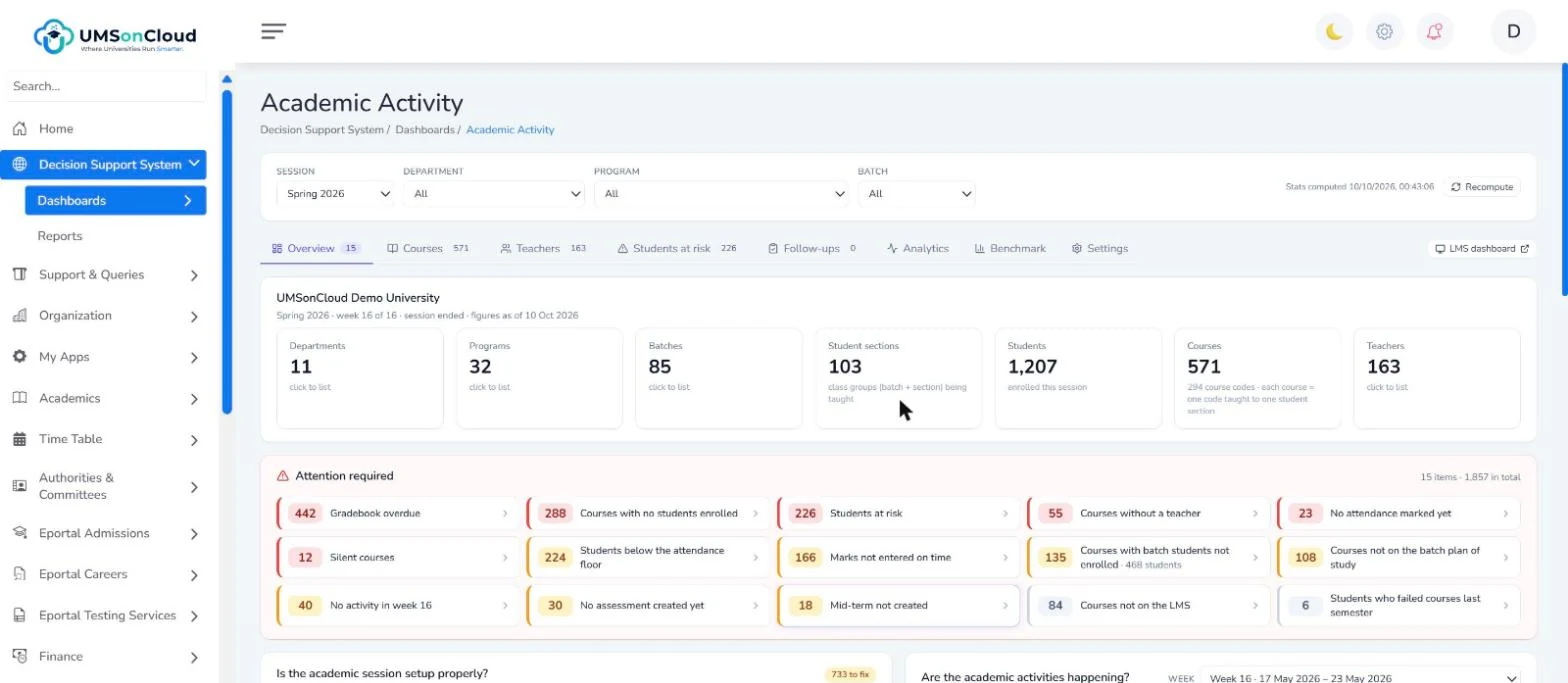
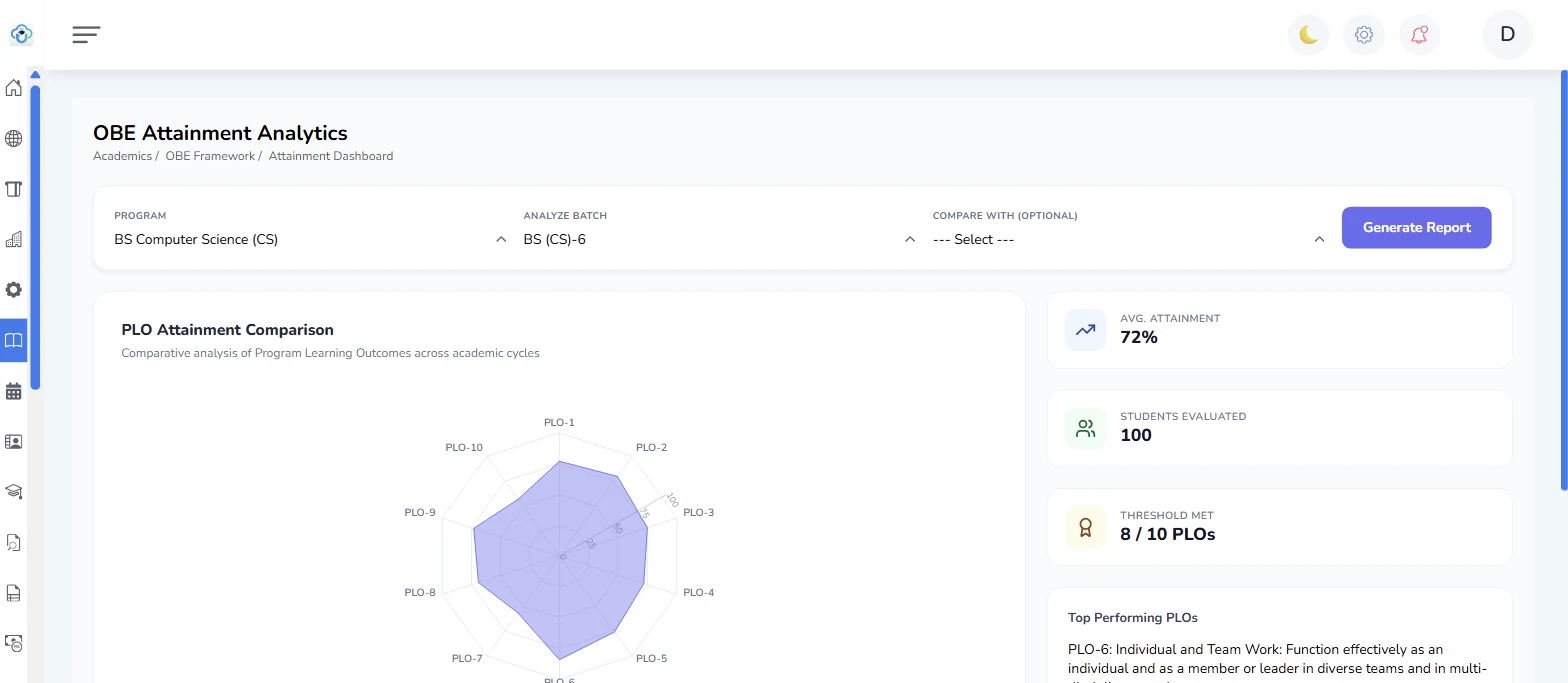
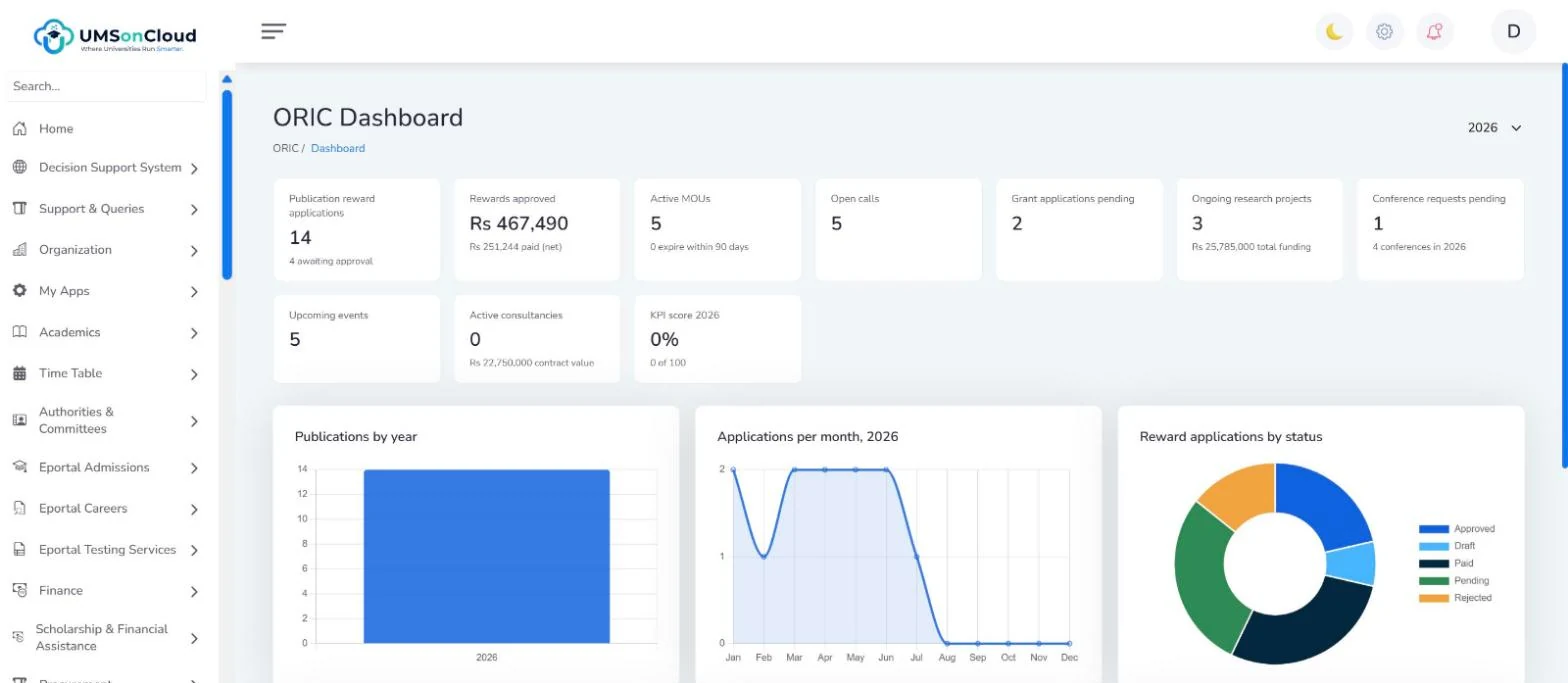
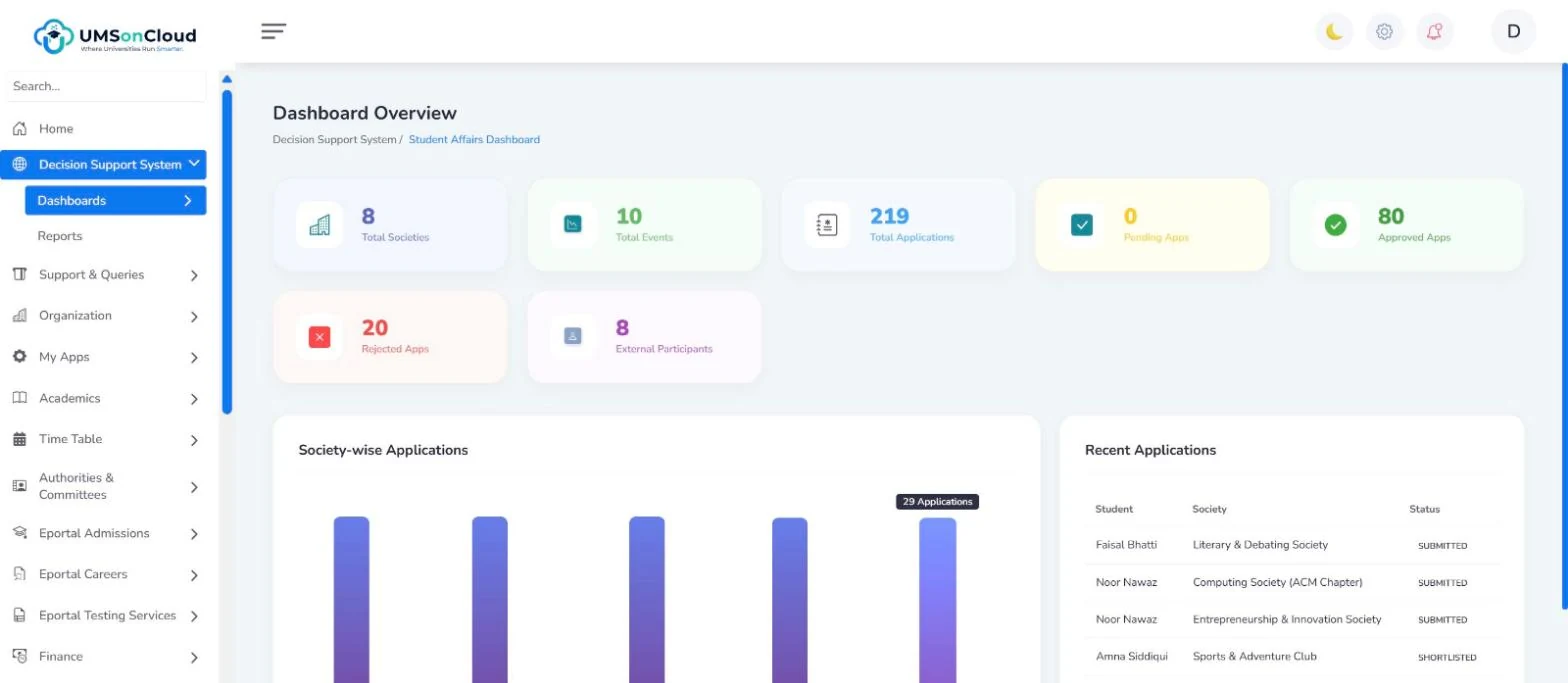
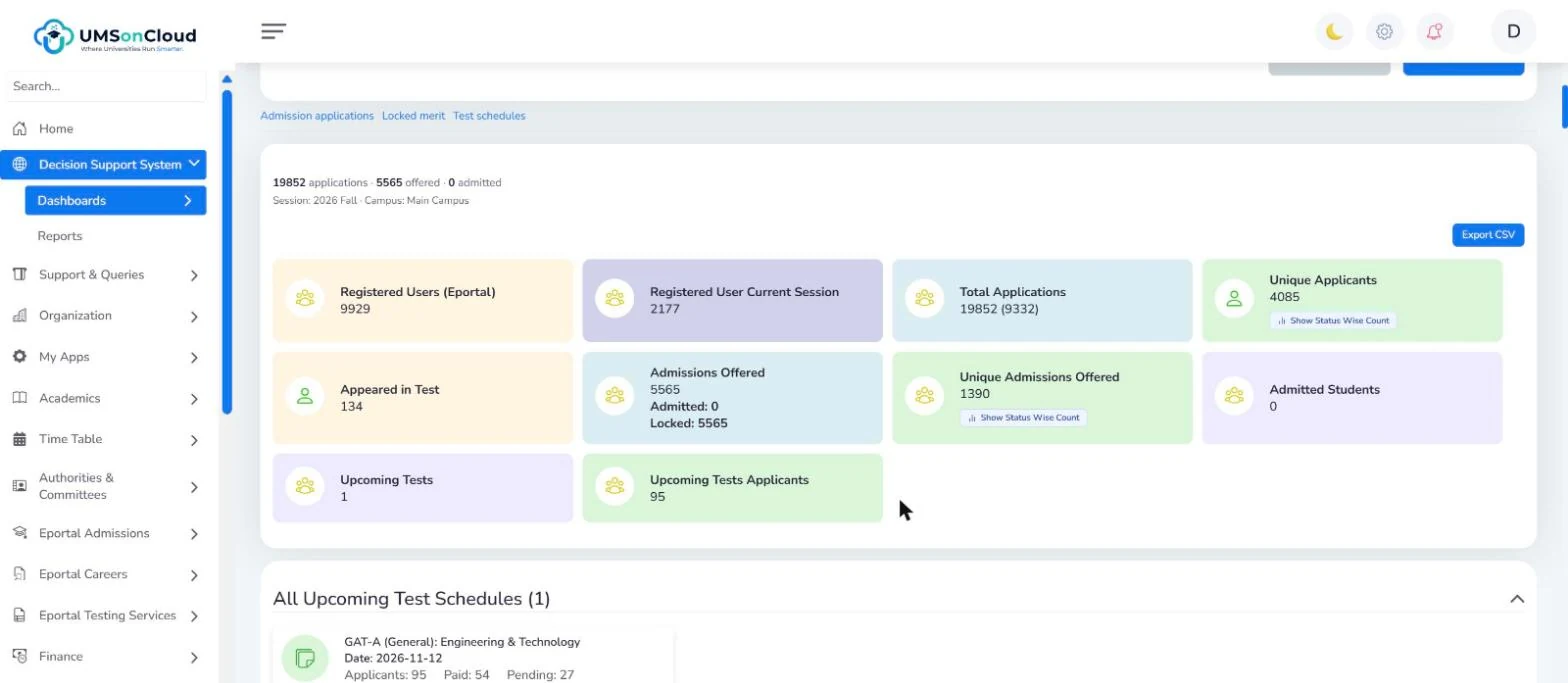
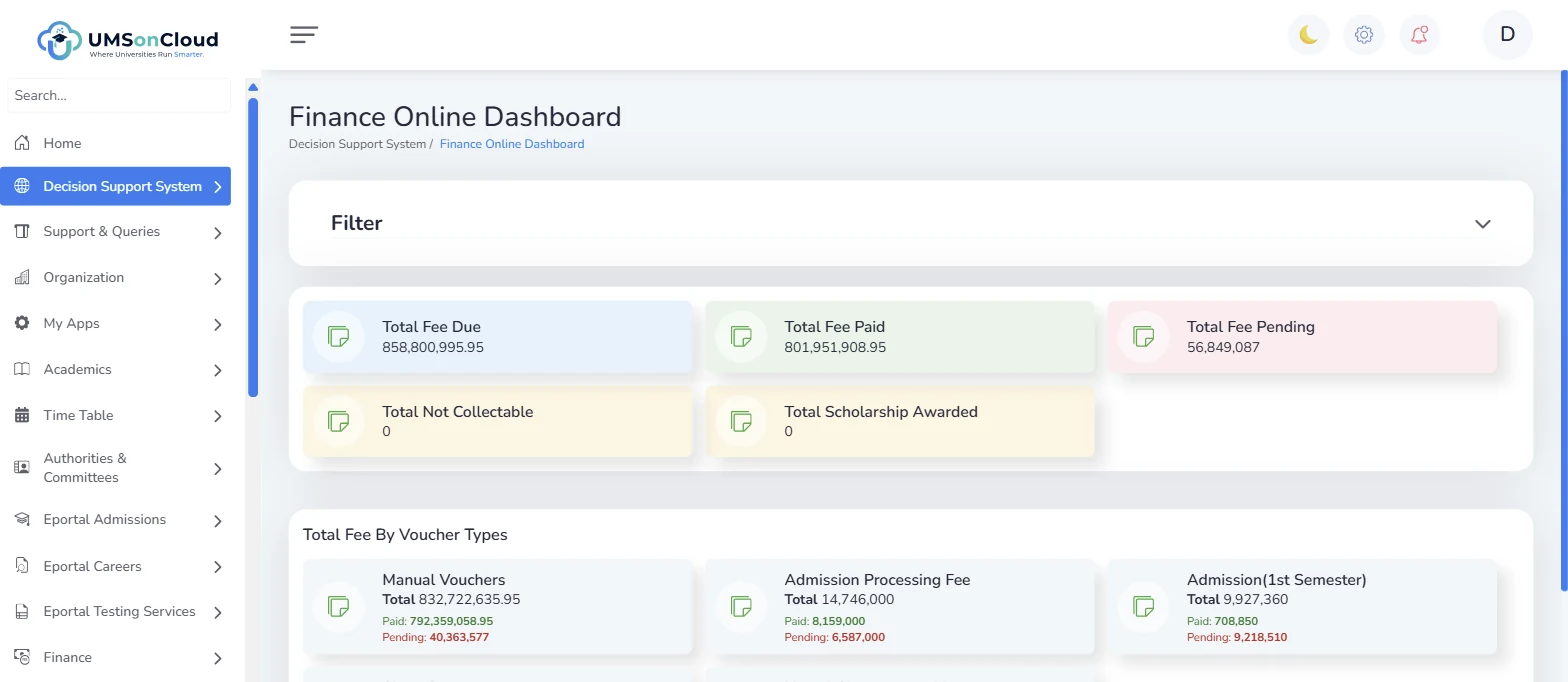
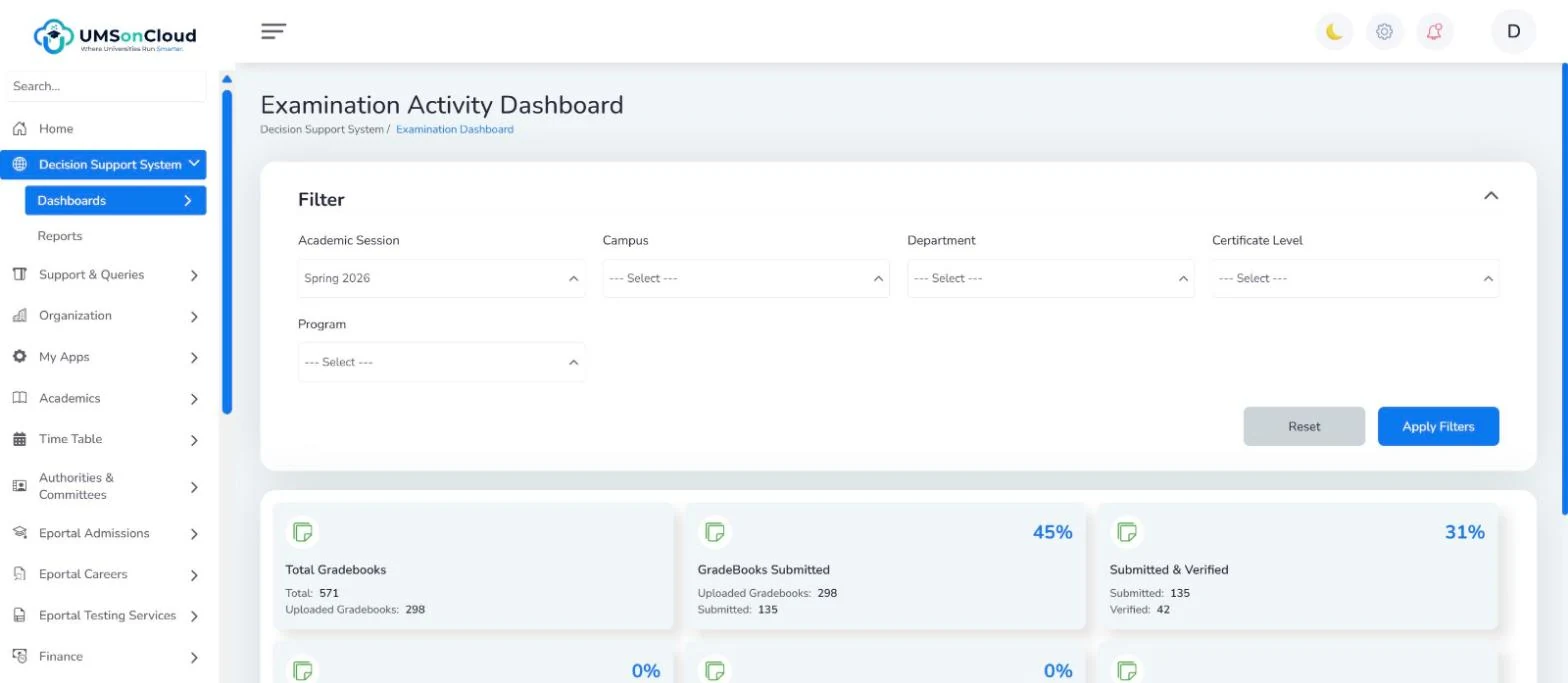
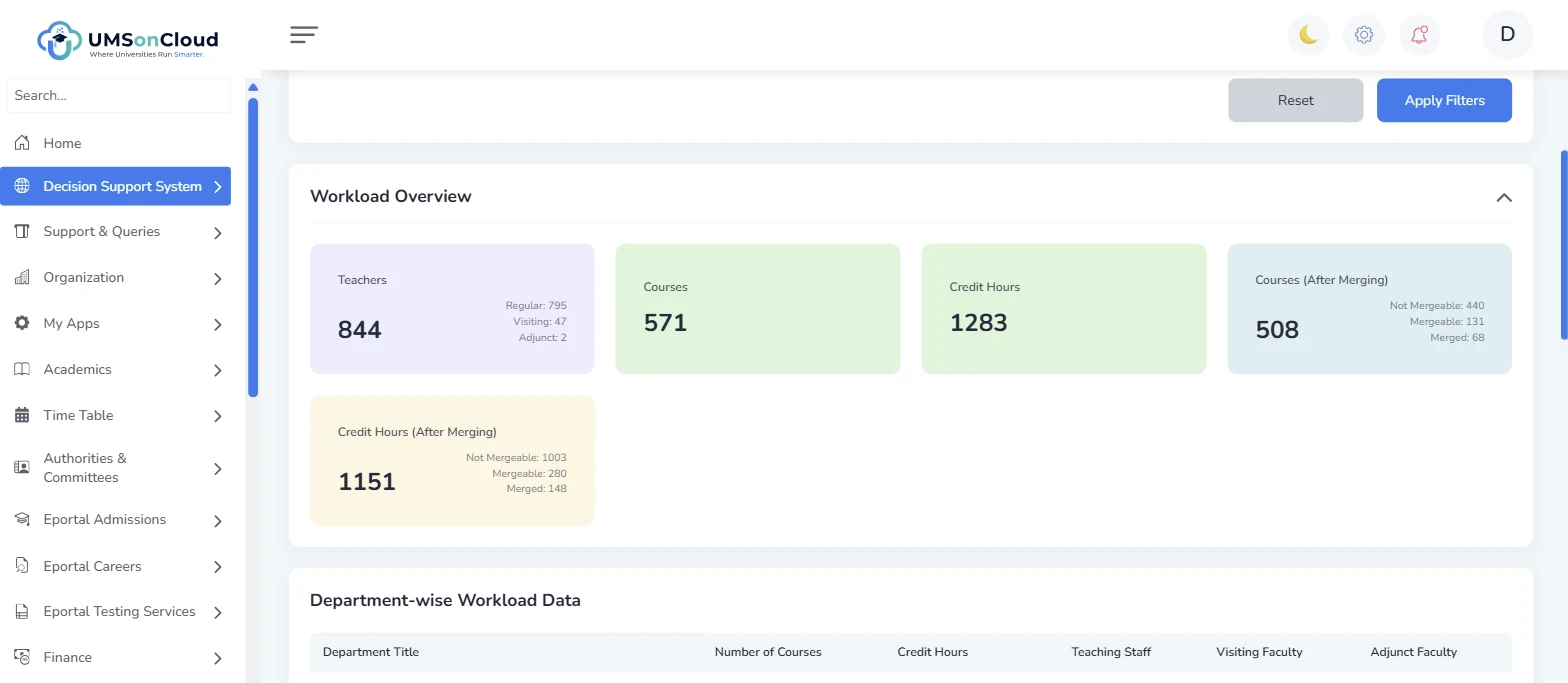
Academic Activity — is the semester actually happening? Gradebooks overdue, students at risk, silent courses, all in one view
Trusted by universities across Pakistan, including



The problem
Most universities run on nine systems that don't speak to each other.
Admissions in one database. Fees in another. Exams on spreadsheets. QEC surveys on Google Forms. ORIC records in a filing cabinet. Every HEC submission becomes a three-week reconciliation exercise, and no one can answer a simple question — how many students are enrolled, cleared and paid, right now — without three phone calls.
UMSonCloud replaces all of it with one system of record.
- Admissions database
- Fee ledger
- Exam spreadsheets
- QEC Google Forms
- ORIC filing cabinet
- HR & payroll software
- Hostel register
- Library system
- LMS
 One record.
One platform.
Why it holds together
Four things that are true of the whole system, not one module.
End-to-end, genuinely.
An applicant enters through the e-Portal, moves through merit lists, registration, plan of study, enrolment, examination, progression and transcript without ever being re-keyed.
Compliance is built in, not bolted on.
Full OBE framework — PEO → PLO → CLO mapping, knowledge profiles, engineering competencies, attainment dashboard — plus native QEC and ORIC modules.
Finance that reconciles.
Bank-integrated vouchers, scroll and transaction logs, installment plans, fines, wallets and clearance, tied to the same student record as academics.
Multi-campus by architecture.
Organisations, campuses, affiliated colleges and distance centres under one tenant, with role, permission and access-template control per unit.
Verified scale
Counted from the codebase, not claimed.
Every figure below is traceable to the shipped source — the number a procurement committee can check.
The module map
Everything a university does. In one place.
Integrations
Works with the banks, the ERP and the LMS you already have.












Direct bank APIs, gateways and 1Link invoicing for fees; ERPNext for HR, payroll, budgets and procurement; Moodle for the LMS with one-click sign-in and BigBlueButton live classes; LimeSurvey for QEC feedback; ZKTeco biometrics, WhatsApp and Meta lead ads at the edges.
LMS & live classes Live now
The LMS stops being a second system to maintain.
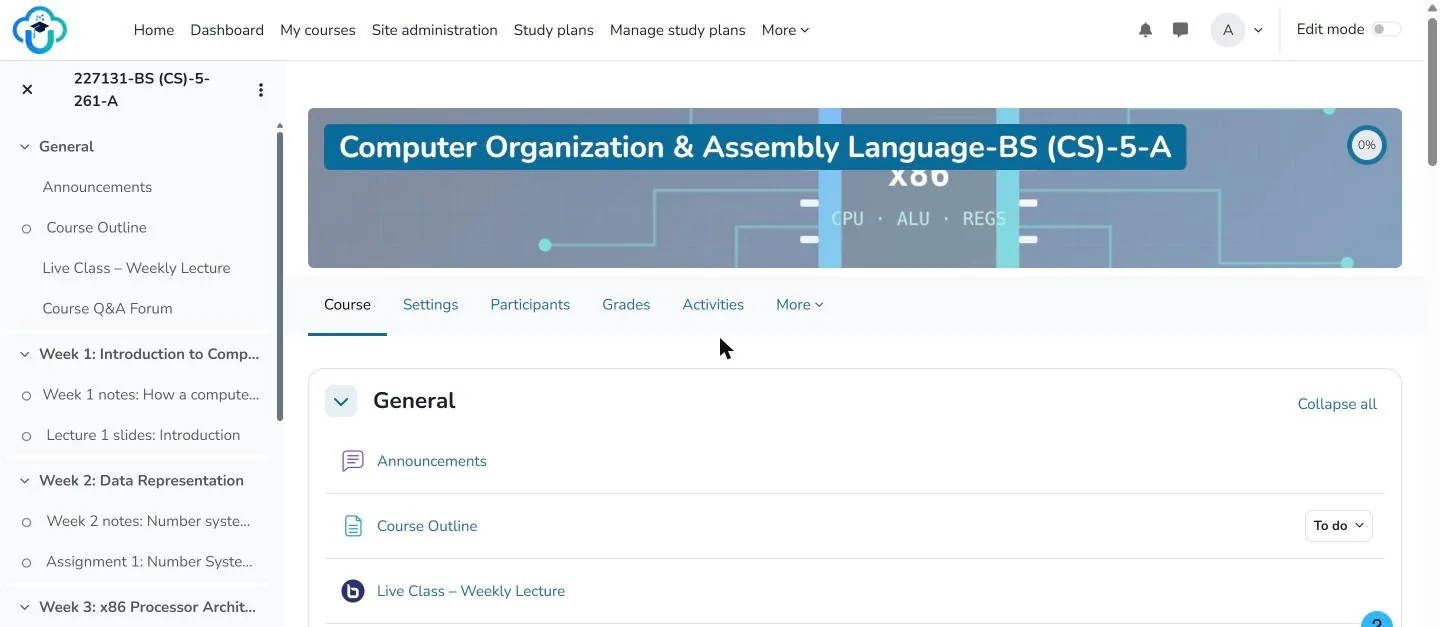
Enrolment is the source of truth. Moodle receives courses, sections, teachers and students from UMSonCloud, students and faculty reach it in one click, and every course can hold a live, recorded lecture. See it on the demo: a real course with five weeks of material, graded work and a live-class room.
- One roster — sections become Moodle courses; students and teachers are enrolled from the UMS, drops propagate
- One click — My Apps → LMS signs the student or teacher into Moodle with a single-use key; no second password
- Live classes — a BigBlueButton room in every course: audio, video, screen share, slides, polls, recordings that play back inside the course
- Your server or ours — the LMS and the class server run on campus or on UMSonCloud, branded for the institution
Guardian Portal Live now
Parents get their own login — to exactly what the university allows.
A parent signs in with their CNIC, links a child with the student's consent, and sees attendance, declared results, fee challans, timetable and notices — with alerts when a challan falls due or attendance drops. Subscriptions are optional per university: a new revenue line when you want one, invisible when you don't.
- Consent-based child linking — invitation code or guardian-record match, approved by the student
- Fee due, overdue, low-attendance and result alerts in-app, by email and push
- Pay the child's challan online where the university permits
- Every access to results and fees logged; parents never see more than the student can
- My University app for Android and iOS — students and parents, re-themed to each university In beta
Live demo
Twenty-seven modules. One record. Pick a seat — the product is already running.
A permanent installation populated with anonymised data from a real university — 2,397 students, 10,513 users, 60 programmes. Sign in as any of five roles — including a parent.
demo.adminPassword UMSDemo2026!Open my.umsoncloud.com →FacultyMy courses, attendance, gradebooks, leave and salary.Username EMP58018Password UMSDemo2026!Open my.umsoncloud.com →StudentRegistration, results, challans, support tickets - and My Apps → LMS for one-click Moodle sign-in.Registration no. 922050004Password UMSDemo2026!Open my.umsoncloud.com →ApplicantApply for admission, jobs and short courses; upload documents, pay the processing fee, track merit lists.CNIC 12345-1234567-2Password UMSDemo2026!Open eportal.umsoncloud.com →Parent / GuardianNewTwo linked children: attendance, results, fee challans, notices and alerts.CNIC 35201-2222222-2Password Guardian@123Open my.umsoncloud.com/guardian/login →Every login screen shows its credentials with a one-click Use button — you are inside the product in two clicks. The demo resets itself, so nothing you do is permanent. The Applicant e-Portal and the Guardian Portal sign in with a CNIC, not an email.